
Autocad Electrical Design

  • Instructor Unique
  • Original
  • Video Training

AutoCAD Electrical Design introduces electrical drafting using AutoCAD, covering schematics, symbols, circuit design, and documentation to support accurate and professional electrical drawing projects.
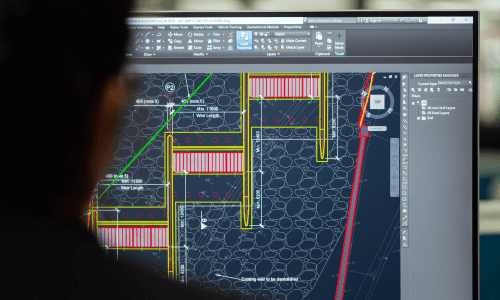
AutoCAD Electrical Design course interface with detailed circuit schematics on display.
cpdacree aoth ukrlp 24hs fullonline 14days

Get access to 5000+ courses including this for only £49. Learn More.

Overview of Autocad Electrical Design

Learn the fundamentals of AutoCAD Electrical and develop practical skills in electrical design, electrical drafting, and CAD-based technical drawing. This course introduces you to essential CAD design techniques while helping you understand how to create accurate electrical drawings, electrical schematics, and professional design layouts. You will explore the principles of circuit design and gain a solid foundation in using AutoCAD for electrical engineering applications.

The course covers key areas of electrical design, including distribution system drawings, voltage drop and short circuit analysis, earthing systems, and generator sizing. You will learn how these concepts contribute to safe, reliable, and efficient electrical installations while developing an understanding of wiring diagrams, circuit layouts, and technical documentation. The training also introduces practical approaches to control panel design and electrical drafting, supporting learners who want to strengthen their technical CAD and electrical engineering knowledge.

Whether you are beginning your journey in electrical engineering or looking to enhance your existing CAD skills, this AutoCAD Electrical Design course provides a practical foundation for creating and interpreting professional electrical drawings. With dedicated resources and structured learning units, you can build confidence in electrical schematics, distribution system design, circuit design, and engineering calculations. The course is ideal for learners seeking practical knowledge of AutoCAD Electrical and modern electrical design practices.

The course was audited and updated on: 7th August, 2026

Learning Outcomes of Autocad Electrical Design

Method Of Assessment​

Learners complete an assignment designed to evaluate their understanding of the course content. The assignment is reviewed by qualified tutors who provide personalised feedback, allowing learners to demonstrate their applied knowledge and skills.

Certification

one education Certificate

After completing the Autocad Electrical Design course assessment, you will be eligible to receive a CPD-accredited certificate worth £9 from One Education to demonstrate your achievement.

The certificate is also available as a printed hard copy delivered by post for £15.

Why Study This Autocad Electrical Design Course?

Electrical design requires precision, technical understanding, and effective drafting skills. This course develops practical knowledge of AutoCAD Electrical, electrical schematics, circuit design, wiring diagrams, and electrical drawings, helping learners create accurate designs and understand essential principles used in modern electrical engineering and drafting.

Studying AutoCAD Electrical Design can strengthen technical capabilities for careers involving electrical drafting, engineering, and control systems. Learners can build confidence in creating professional electrical drawings, designing distribution systems, and developing control panel layouts while gaining valuable CAD skills applicable to engineering and construction projects.

Course Duration

The Autocad Electrical Design course has a total study time of 10 hours, 23 minutes. Learners can progress through the programme at a flexible pace, developing practical skills in AutoCAD Electrical, electrical drafting, circuit design, electrical schematics, wiring diagrams, control panel design, and professional electrical drawings.

Requirements

The AutoCAD Electrical Design course requirements are suitable for beginners and aspiring electrical design professionals. Learners should have basic computer, communication, and numeracy skills, an interest in AutoCAD Electrical, Electrical Design, Electrical Drafting, Circuit Design, Electrical Schematics, CAD Design, Electrical Drawings, Control Panel Design, Wiring Diagrams, and Electrical Engineering, and a willingness to develop practical electrical drafting and design skills. Access to an internet-enabled device and commitment to regular study and practice are recommended for effective learning and successful course completion.

Career Path

Frequently Asked Questions

1. What is the AutoCAD Electrical Design course?
The AutoCAD Electrical Design course introduces the principles and practical applications of using AutoCAD for electrical engineering and drafting. It covers Electrical Design, Electrical Drafting, Circuit Design, Electrical Schematics, CAD Design, Electrical Drawings, and Control Panel Design.

2. Who is the AutoCAD Electrical Design course suitable for?
The course is suitable for electrical engineers, engineering students, CAD professionals, electrical designers, technicians, draftspeople, and learners interested in developing practical AutoCAD Electrical and Electrical Drafting skills.

3. What will I learn from this AutoCAD Electrical course?
You will explore AutoCAD fundamentals, electrical drawing techniques, distribution system design, voltage drop calculations, Electrical Schematics, Circuit Design, Wiring Diagrams, and approaches for producing accurate Electrical Drawings.

4. Do I need previous AutoCAD experience to take this course?
The course introduces AutoCAD fundamentals, making it accessible to learners who want to strengthen their CAD knowledge. Basic computer skills and an interest in Electrical Design can be helpful when working through the technical concepts and drawing exercises.

5. Does the course cover electrical distribution system design?
Yes. Electrical Design Drawing of Distribution Systems is included in the course. Learners can develop an understanding of how electrical distribution arrangements are represented through technical drawings and CAD-based design processes.

6. Will I learn about voltage drop in electrical design?
Yes. Voltage Drop is covered as part of the course. Understanding voltage drop is important when assessing electrical circuits and designing systems that meet appropriate technical and performance requirements.


Course Curriculum

Unit 1- Introduction to Autocad
Module 1- Introduction to Electrical Design Drawing 00:05:00
Module 2- Introduction to Autocad 00:02:00
Module 3- Free Activation for Students 00:05:00
Module 4- Starting Autocad and Changing Background 00:03:00
Module 5- Drawing a Line in Autocad 00:04:00
Module 6- Drawing a Rectangle in Autocad 00:04:00
Module 7- Drawing a Circle in Autocad 00:01:00
Module 8- Drawing a Polygon in Autocad 00:03:00
Module 9- Drawing an Arc in Autocad 00:01:00
Module 10- Drawing a PolyLine in Autocad 00:03:00
Module 11- Multiple Lines Using The Offset feature 00:03:00
Module 12- Adding Text to Autocad 00:04:00
Module 13- Extending Lines in Autocad 00:02:00
Module 14- Selection in Autocad 00:05:00
Module 15- F-shortcuts in Autocad 00:02:00
Module 16- Dimensions in Autocad 00:04:00
Module 17- Multi Spiral Line and MLD in Autocad 00:03:00
Module 18- Block and Explode 00:02:00
Module 19- Move and Scale Commands in Autocad 00:02:00
Module 20- Rotate, Mirror and Fillet Commands in Autocad 00:03:00
Module 21-Area Calculation and Adding Layer in Autocad 00:04:00
Module 22- Saving Your File and Autosave Feature 00:08:00
Module 23- Drawing Fluorescent Symbol Using Autocad 00:07:00
Module 24- Autocad Classic Mode and Workspace 00:03:00
Unit 2- Electrical Design Drawing of Distribution System
Module 1- Introduction to Dialux 00:02:00
Module 2- Types of Electrical Drawings 00:03:00
Module 3- Different Lighting Situations 00:05:00
Module 4- Understanding Different Types of Lighting Schemes 00:03:00
Module 5- Properties of Good Lighting Scheme 00:01:00
Module 6- Important Definitions for Lighting 00:09:00
Module 7- Utilisation and Maintenance Factor 00:04:00
Module 8- Important Notes When Designing 00:06:00
Module 9-Steps of Project Design 00:04:00
Module 10- Manual Calculation of Lighting 00:07:00
Module 11- Understanding Catalogs and Photometric Data 00:05:00
Module 12-Dialux Interior Design Task Part 1 00:33:00
Module 13-Dialux Interior Design Task Part 2 00:22:00
Module 14-Dialux Interior Design Task Part 3 00:26:00
Module 15-Wiring of Luminaries and Switches Using Autocad 00:39:00
Module 16-Types of Sockets 00:02:00
Module 17- Adding and Wiring of Sockets 00:40:00
Module 18-Panel Schedule for Lighting and Power Circuits 00:31:00
Module 19-Circuit Breakers and Cable Selection 00:36:00
Module 20-Single Line Diagram for Industrial Area and Riser of The Residential Building 00:23:00
Unit 3- Voltage Drop and Short Circuit Analysis
Module 1- Voltage Drop in Low Voltage Distribution System and Manual Calculations 00:21:00
Module 2-Short Circuit in Low Voltage Distribution System and Manual Calculations 00:32:00
Module 3-Voltage Drop and Short Circuit Calculations Using ETAP Easily 00:36:00
Unit 4- Earthing System
Module 1- Effect of Current on Human Body 00:09:00
Module 2-Types of Electric Hazards 00:08:00
Module 3-Classification of Earthing Systems 00:23:00
Module 4-Components of Earthing System 00:09:00
Module 5- Design and Resistance of Earthing Electrode 00:12:00
Module 6- Design and Resistance of Earthing Conductor 00:13:00
Module 7- Measurement of Earth Resistance by Megger and Three Point Method 00:03:00
Module 8- Design Earthing or Ground Grid Using ETAP 00:21:00
Unit 5- Generator Sizing
Module 1- Sizing of Electrical Generator for Power Engineering 00:52:00
Resources
Resources- Autocad Electrical Design 00:00:00
Assignment
Assignment -Autocad Electrical Design 00:00:00
Thanks for learning with us, we appreciate your feedback.
We Appreciate Your Feedback 00:00:00
Autocad Electrical Design
top
Copyright © 2026 One Education © Edukators London Ltd.
