

 Take All courses for £49

Gorgeous Badges in Affinity Designer
- Instructor Unique
- Original
- Video Training
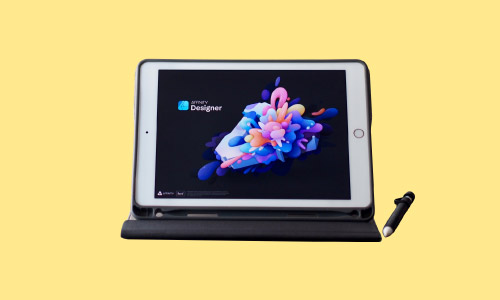



Gorgeous Badges in Affinity Designer
Or
 1 Year Access
  Level 3
  1 Students
 -
 6 days, 6 hours
Course Curriculum
| Module 01: Introduction | |||
| Introduction to Dawid’s Badges | 00:02:00 | ||
| Module 02: The Preparation and the First Badge | |||
| Create A New Document First | 00:04:00 | ||
| What Are Assets | 00:03:00 | ||
| Build Your Assets | 00:04:00 | ||
| Build the First Shape-Coat of Arms | 00:04:00 | ||
| Modify the Edges of The Coat of Arms | 00:04:00 | ||
| Turn A Rectangle into A Badge Shape | 00:05:00 | ||
| Use Custom Shapes to Create Badge Shapes | 00:05:00 | ||
| Create Ribbons | 00:09:00 | ||
| Add A Text Placeholder to A Badge | 00:05:00 | ||
| Create Your Perfect Colour Schemes | 00:07:00 | ||
| Module 03: The Tennis Club Project | |||
| Break the Project Down | 00:01:00 | ||
| Create the Main Shape | 00:08:00 | ||
| Add the Stroke Effects | 00:04:00 | ||
| Add the Text Placeholder | 00:04:00 | ||
| Add the Lawn | 00:03:00 | ||
| Add the Tennis Racket | 00:08:00 | ||
| Add the Main Text | 00:03:00 | ||
| Finish the Project | 00:04:00 | ||
| Module 04: The Vintage Barber Project | |||
| Explore the Project | 00:01:00 | ||
| Create the Face | 00:08:00 | ||
| Create the Glasses | 00:07:00 | ||
| Add the Main Shape | 00:05:00 | ||
| Add the Texture | 00:04:00 | ||
| Add the Text | 00:04:00 | ||
| Module 05: The Premium Price Project | |||
| Explore the Project | 00:01:00 | ||
| Create the Colour Palette | 00:04:00 | ||
| Create the Main Shape | 00:06:00 | ||
| Create the Ribbons | 00:05:00 | ||
| Add the Cup | 00:05:00 | ||
| Add the Text and Finish the Project | 00:04:00 | ||
| Module 06: The Italian Coffee House Project | |||
| Explore the Project | 00:01:00 | ||
| Create the Main Cup Shapes | 00:06:00 | ||
| Add the Handle and The Plate | 00:04:00 | ||
| It’s Time to Add Some Colours | 00:04:00 | ||
| Pour Some Milk In | 00:02:00 | ||
| Add the Background | 00:05:00 | ||
| Add the Steam | 00:04:00 | ||
| Add the Text and Finish the Project | 00:02:00 | ||
| Module 07: The National Park Project | |||
| Explore the Project | 00:01:00 | ||
| Create A New Document and Colour Palette | 00:02:00 | ||
| Create the Mountains | 00:05:00 | ||
| Add the Background | 00:04:00 | ||
| Add the Sun Rays | 00:04:00 | ||
| Add the Logo and Finish the Project | 00:07:00 | ||
| Assignment | |||
| Assignment – Gorgeous Badges in Affinity Designer | 6 days, 3 hours | ||
| Order Your Certificate | |||
| Order Your Certificate QLS | 00:00:00 | ||
Gorgeous Badges in Affinity Designer

