Ultimate Transcription and Captioning Course

  • Instructor Unique
  • Original
  • Video Training

Ultimate Transcription and Captioning Course equips learners with accurate audio transcription techniques, professional caption formatting standards, time-coding methods, and industry insights to produce clear, accessible, and high-quality written content confidently.

Ultimate Transcription and Captioning Course
qls cpdacree ukrlp 24hs fullonline 14days

Get access to 5000+ courses including this for only £49. Learn More.

Overview of Ultimate Transcription and Captioning Course

The Ultimate Transcription and Captioning Course is designed to master professional transcription, captioning, and subtitle creation for audio and video media. You will learn accurate typing, editing, and documentation skills to convert spoken content into precise text. This course improves accuracy, media handling, and workflow efficiency for high-quality subtitles and captions.

Module-based curriculum covers theory of subtitles and closed captions, guidelines for clean captioning, and preparation techniques for transcription workflows. Students practice manual and automated captioning using offline and online tools. The training builds strong editing, typing, and accuracy skills for professional media transcription and high-quality text output across platforms.

Advanced lessons include subtitle track integration, video file handling, and translation for international audiences. The course enhances transcription accuracy, captioning efficiency, and documentation quality for all media types. Learn professional audio-to-text conversion, editing workflows, and subtitle optimization to deliver accessible content with improved readability and global reach online for creators and professionals.

The course was audited and updated on: 17th August, 2026

Learning Outcomes of Ultimate Transcription and Captioning Course

Method Of Assessment​

Learners complete an assignment designed to evaluate their understanding of the course content. The assignment is reviewed by qualified tutors who provide personalised feedback, allowing learners to demonstrate their applied knowledge and skills.

Certification

one education Certificate

After completing the Ultimate Transcription and Captioning Course assessment, you will be eligible to receive a CPD-accredited certificate worth £9 from One Education to demonstrate your achievement.

The certificate is also available as a printed hard copy delivered by post for £15.

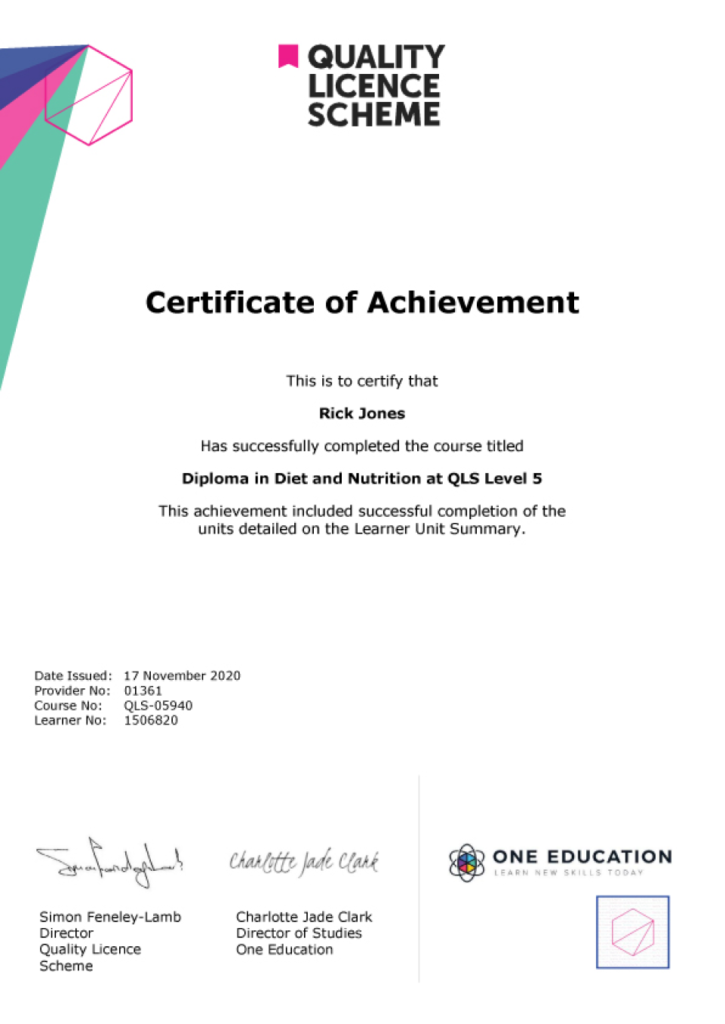
EXAMPLE - QLS Certificate 2020 1

Quality Licence Scheme Endorsed Certificate

Learners also have the option to order a Quality Licence Scheme (QLS) Endorsed Certificate as additional proof of achievement. The QLS Endorsed Certificate can be delivered by post for £79, with an additional £10 postage charge for international students.

Endorsement

This course has been endorsed by the Quality Licence Scheme for its high-quality, non-regulated provision and training programmes. This course is not regulated by Ofqual and is not an accredited qualification. Your training provider will be able to advise you on any further recognition, for example progression routes into further and/or higher education. For further information please visit the Learner FAQs on the Quality Licence Scheme website.

Why Study This Ultimate Transcription and Captioning Course?

Studying the Ultimate Transcription and Captioning Course helps learners develop accurate listening and typing skills to convert audio and video content into written text. It focuses on clarity, attention to detail, and professional formatting for various media industries.

This course builds practical abilities in timecoding, caption editing, and using transcription tools effectively. It is ideal for individuals seeking flexible work in media, education, or freelance content services, where precision and speed are essential.

Course Duration

The Ultimate Transcription and Captioning Course has a total study time of 6 days, 6 hours. Learners can progress through the programme at a flexible pace, allowing them to develop strong transcription and captioning skills while balancing study with other personal or professional commitments.

Requirements

The Ultimate Transcription and Captioning Course requirements are simple and suitable for beginners entering transcription and media support roles. No prior experience is required, although good listening skills, fast typing ability, and attention to detail are beneficial. The course is fully online, requiring only internet access and a digital device for flexible self-paced study.

Career Path

Frequently Asked Questions

It is a course that teaches how to convert audio and video content into written text and captions.

It is suitable for beginners, freelancers, students, and anyone interested in remote or online work.

You will learn transcription skills, captioning techniques, typing accuracy, formatting, and listening skills.

Captioning is used to add subtitles to videos for accessibility and better understanding.

No, this course is designed for beginners and builds skills step by step.

It can lead to roles such as transcriptionist, captioning specialist, or freelance content worker.

Course Curriculum

Module 01: Introduction - What It's All About
Definition: Captions 00:02:00
Subtitling in Practice 00:05:00
Workflow for Captioning Videos 00:04:00
Module 02: Theory - About Subtitles and Closed Captions
Theory: Overview 00:02:00
Motivation: Benefits of Subtitles and Captions 00:05:00
Differences Between Subtitles and Captions 00:04:00
The Most Important Subtitle Formats 00:06:00
Module 03: Guidelines - Nice and Clean Captions
Language: Pay Attention to Spelling, Grammar and Punctuation 00:03:00
Style Guidelines: How to Create Great Captions 00:06:00
Example and Discussion: Good and Bad Captions 00:04:00
Module 04: Preparation - Transcribe Your Video
Preparation: Overview 00:02:00
Definition: Transcription 00:01:00
Reasons for Transcription 00:04:00
The Other Way Around: Convert Captions to Plain Text 00:02:00
Tools for Transcribing Videos 00:04:00
Module 05: The Offline Way - Manually Prepare Captions With Desktop Tools
The Offline Way: Overview 00:03:00
Benefits of Captioning Software 00:04:00
Subtitle Edit 00:07:00
Tip: Adjust Timings 00:02:00
Tip: Convert Subtitles 00:01:00
Aegisub Advanced Subtitle Editor 00:06:00
Other Programs to Create Subtitles 00:04:00
Module 06: The Subtitle Track - Integrate Captions into Your Video File
The Subtitle Track: Overview 00:02:00
How to Add Captions to MKV Videos 00:04:00
How to Add Captions to MP4 Videos 00:03:00
How to Use Captions With the VLC media player 00:05:00
Open Captions Vs. Closed Captions 00:06:00
Tip: The Other Way Round: Extract Captions From Videos 00:02:00
Module 07: The Online Way - Caption Videos Manually and Automatically Online
The Online Way: Overview 00:02:00
YouTube: Create, Edit and Add Captions to Your Videos 00:04:00
Subtitling Platforms 00:04:00
Download Subtitles for Any YouTube Video 00:02:00
Module 08: Translation - Appeal to Your International Audience
Translation: Overview 00:02:00
Motivation: Translate Videos into Many Different Languages Using Captions 00:03:00
The Translation Procedure: Translate Transcriptions, Not Captions! 00:03:00
Online Translation Tools 00:04:00
Module 09: The End - What Did You Learn?
Summary of the Course 00:05:00
Assignment
Assignment – Ultimate Transcription and Captioning Course 6 days, 4 hours
Order Your Certificate
Order Your Certificate QLS 00:00:00
Ultimate Transcription and Captioning Course
top
Copyright © 2026 One Education © Edukators London Ltd.