Admin, Secretarial & PA

Admin, Secretarial & PA skills strengthen organisational efficiency, communication, and time management. Develop expertise in office coordination, diary management, document handling, and professional correspondence to support executives and ensure smooth business operations.

Admin, Secretarial & PA

Get access to 5000+ courses including this for only £49. Learn More.

Overview of Admin, Secretarial & PA

The Admin, Secretarial & PA course builds strong Office Management and Office Administration skills. Learners gain expertise in Executive Support, Calendar Scheduling, Email Handling, and Business Communication while developing essential Administrative Skills for modern workplaces, ensuring efficiency, accuracy, and professional productivity in daily operations.

This curriculum covers Administrative Management, Meeting Coordination, Telephone Etiquette, Business Writing, Organisational Skills, Time Management, and Body Language for Effective Communication. Students enhance Office Administration capabilities, ensuring smooth workflow, professional interaction, and efficient coordination across business environments with practical, real-world administrative expertise.

Graduates develop advanced Office Management skills through Document Processing, Meeting Management, and Excel-based tasks including formulas, worksheets, and data handling. The program strengthens Email Handling, Business Communication, and Time Management, preparing professionals for efficient Executive Support and high-performing administrative roles.

The course was audited and updated on: 12th April, 2026

Learning Outcomes of Admin, Secretarial & PA

Certification

one education Certificate

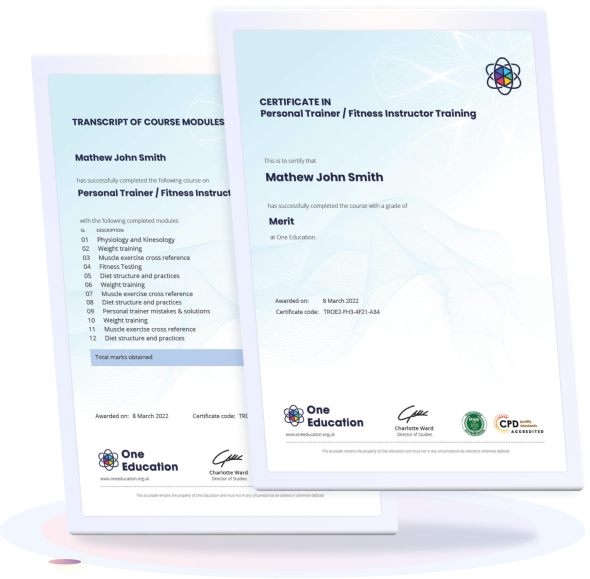
After completing the Admin, Secretarial & PA course assessment, you will be eligible to receive a Free CPD-accredited certificate worth £9 from One Education to demonstrate your achievement.

The certificate is also available as a printed hard copy delivered by post for £15.

Why Study This Admin, Secretarial & PA Course?

Admin, Secretarial & PA skills are essential for ensuring smooth office operations and effective organisational support. Training in this area helps learners manage schedules, handle correspondence, organise meetings, and maintain accurate administrative records.

Studying these skills strengthens communication, time management, and multitasking abilities. It prepares individuals for professional roles as administrative assistants, secretaries, or personal assistants, contributing to improved workplace efficiency and strong business support functions.

Course Duration

The “Admin, Secretarial & PA” course has a total study time of 12 hours and 32 minutes. Learners can complete the programme at a flexible pace, allowing them to manage their study schedule effectively while developing essential administrative, secretarial, and personal assistant skills.

Requirements

Requirements for the Admin, Secretarial & PA course are simple and accessible. Learners should have basic computer skills, good communication, and strong organizational ability. An interest in office administration and time management is helpful. The course is fully online and can be accessed from any internet-enabled device for flexible, self-paced learning from anywhere.

Career Path

Frequently Asked Questions

It involves supporting managers with office tasks, scheduling, and communication.

A PA manages calendars, meetings, emails, and daily administrative work.

Organization, communication, time management, and computer skills.

Admin officer, secretary, executive assistant, and office manager roles.

Anyone with good office, communication, and organizational skills.

Yes, it offers stable jobs and opportunities in many industries.

Course Curriculum

Admin, Secretarial & PA
Personal Assistant 00:35:00
Admin Support 00:50:00
Administrative Management 01:00:00
Organisational Skills 01:00:00
Telephone Etiquette 01:00:00
Business Writing 01:00:00
Time Management 00:35:00
Body Language and Effective Communication 00:45:00
Meeting Management 01:30:00
Navigate the Excel User Interface 00:28:00
Use Excel Commands 00:10:00
Create and Save a Basic Workbook 00:19:00
Enter Cell Data 00:12:00
Use Excel Help 00:05:00
Create Worksheet Formulas 00:15:00
Insert Functions 00:17:00
Reuse Formulas and Functions 00:17:00
Insert, Delete, and Adjust Cells, Columns, and Rows 00:10:00
Search for and Replace Data 00:09:00
Use Proofing and Research Tools 00:07:00
Apply Text Formats 00:16:00
Apply Number Format 00:08:00
Align Cell Contents 00:09:00
Apply Styles and Themes 00:12:00
Apply Basic Conditional Formatting 00:11:00
Create and Use Templates 00:08:00
Preview and Print a Workbook 00:10:00
Set Up the Page Layout 00:09:00
Configure Headers and Footers 00:07:00
Manage Worksheets 00:05:00
Manage Workbook and Worksheet Views 00:07:00
Manage Workbook Properties 00:06:00
top

Hear What Our Learners Say About Us

Home Courses Search