
Bookkeeping Tool : Google Sheets

Master bookkeeping tasks using Google Sheets. Learn to organise financial data, track expenses, create reports, and maintain accurate records efficiently. Ideal for beginners seeking practical digital bookkeeping confidence today easily.
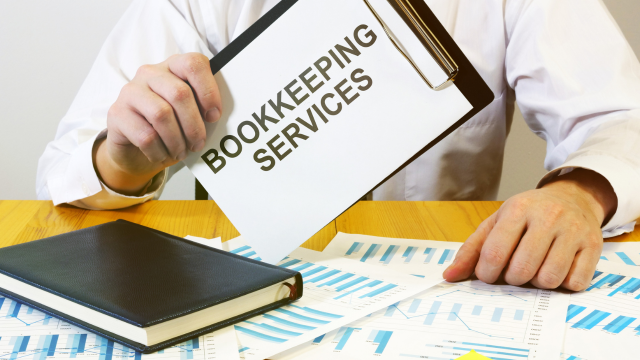
Bookkeeping Tool : Google Sheets
cpdacree aoth ukrlp 24hs fullonline 14days

Get access to 5000+ courses including this for only £49. Learn More.

Overview of Bookkeeping Tool : Google Sheets

Bookkeeping Tool: Google Sheets is a practical course designed to help learners use Google Sheets for efficient Bookkeeping and accurate Financial Records. It introduces Digital Bookkeeping techniques, cash bookkeeping, chart of accounts, and spreadsheet-based financial organisation, helping learners build confidence in managing everyday financial information through a flexible and accessible digital platform.

Throughout the course, learners explore essential Expense Tracking and Income Tracking methods using structured spreadsheets and ready-to-use templates. The training covers invoice templates, expense books, revenue books, and practical Spreadsheet Accounting processes. Learners also discover how Google Sheets can simplify Account Management while keeping financial data organised, updated, and easier to review.

The course also develops practical knowledge of Cash Flow monitoring and Financial Reporting through the creation of profit and loss statements. Learners discover how revenue and expense records automatically contribute to financial summaries, improving accuracy and visibility. By completing the course, learners can use Google Sheets more effectively for organised bookkeeping and day-to-day financial management.

The course was audited and updated on: 18th August, 2026

Learning Outcomes of Bookkeeping Tool : Google Sheets

Certification

one education Certificate

After completing the Bookkeeping Tool : Google Sheets course assessment, you will be eligible to receive a CPD-accredited certificate worth £9 from One Education to demonstrate your achievement.

The certificate is also available as a printed hard copy delivered by post for £15.

Why Study This Bookkeeping Tool : Google Sheets Course?

Google Sheets provides an accessible way to organise financial records and manage everyday bookkeeping tasks. This course develops knowledge of Bookkeeping, Spreadsheet Accounting and Financial Record Keeping, helping learners track income, expenses and business transactions accurately.

Developing spreadsheet bookkeeping skills can support freelancers, small businesses and finance professionals. Learners will explore formulas, transaction records, Expense Tracking and Financial Reporting, gaining practical knowledge for maintaining organised accounts and managing financial information efficiently.

Course Duration

The Bookkeeping Tool: Google Sheets Course has a total study time of 38 minutes. Learners can complete the training at their own pace, making it convenient to build practical skills in Google Sheets, digital bookkeeping, financial records, expense tracking, and spreadsheet accounting while fitting learning around their daily schedule.

Requirements

The Bookkeeping Tool: Google Sheets course has simple requirements and is suitable for beginners interested in digital bookkeeping. Learners should have basic computer and numerical skills, with no previous accounting experience required. An internet-enabled device and access to Google Sheets will help learners practise recording income, expenses, invoices, and financial transactions.

Career Path

Frequently Asked Questions

Can Google Sheets be used for bookkeeping?
Yes. Google Sheets can be used to record income, expenses, transactions and account balances, making it a practical bookkeeping tool for freelancers and small businesses.

How do I track income and expenses in Google Sheets?
You can create a transaction sheet with columns for dates, descriptions, categories, income and expenses. Formulas can then calculate totals and running balances automatically.

Can I create a profit and loss statement in Google Sheets?
Yes. Google Sheets can organise revenue and expenses into a profit and loss statement, helping users review profitability over a selected period.

What is a chart of accounts in bookkeeping?
A chart of accounts is an organised list of financial categories used to record transactions, such as sales, expenses, assets and liabilities.

Can Google Sheets be used for invoice tracking?
Yes. Invoice templates can record customer details, invoice numbers, amounts, payment terms and outstanding balances, making it easier to monitor payments.

Is Google Sheets suitable for small business bookkeeping?
Yes. It can be a useful option for straightforward bookkeeping, particularly for small businesses and freelancers who need flexible income, expense and financial record tracking.

Course Curriculum

Bookkeeping Tool: Google Sheets
Unit 1: Introduction 00:03:00
Unit 2: Google Sheets Users 00:03:00
Unit 3: Cash Bookkeeping 00:04:00
Unit 4: Advantages of Google Sheets in Bookkeeping 00:02:00
Unit 5: Chart of Accounts 00:03:00
Unit 6: Templates view 00:02:00
Unit 7: Invoice Template 00:02:00
Unit 8: Creating an Expense Book 00:03:00
Unit 9: Creating the Profit and Loss Statement 00:06:00
Unit 10: Making Records in the Revenue Book 00:03:00
Unit 11: Making Records in the Expense book 00:04:00
Unit 12: How the Profit and Loss Statement Updates 00:03:00
Order Your Certificate
Order Your Certificate Now 00:00:00
Bookkeeping Tool : Google Sheets
top
