After Effects for Graphic Design

After Effects for Graphic Design explores motion graphics, animation principles, visual effects, and dynamic storytelling techniques, enabling designers to transform static visuals into engaging, professional digital content for modern media platforms.

Complete After Effects for Graphic Design
qls cpdacree ukrlp 24hs fullonline 14days

Get access to 5000+ courses including this for only £49. Learn More.

Overview of After Effects for Graphic Design

Learn how Adobe After Effects can transform your Graphic Design projects through engaging Motion Graphics, Animation Design, and Visual Effects. This course develops practical After Effects Skills for creating dynamic Digital Design content, incorporating Compositing, Creative Effects, and professional Motion Design techniques.

Explore how to create Special Effects, Patterns, Textures, and original Artwork using Adobe After Effects. You will build practical Graphic Design techniques while experimenting with Animation Design, Motion Graphics, Visual Effects, and Creative Effects to produce visually compelling digital compositions and strengthen your After Effects Skills.

The course concludes by helping you understand where to take your skills next and continue developing your creative potential. Whether exploring Motion Design, Digital Design, Compositing, or advanced Visual Effects, this training provides a strong foundation for using Adobe After Effects creatively in modern Graphic Design workflows.

The course was audited and updated on: 10th August, 2026

Learning Outcomes of After Effects for Graphic Design

Method Of Assessment​

Learners complete an assignment designed to evaluate their understanding of the course content. The assignment is reviewed by qualified tutors who provide personalised feedback, allowing learners to demonstrate their applied knowledge and skills.

Certification

one education Certificate

After completing the After Effects for Graphic Design course assessment, you will be eligible to receive a CPD-accredited certificate worth £9 from One Education to demonstrate your achievement.

The certificate is also available as a printed hard copy delivered by post for £15.

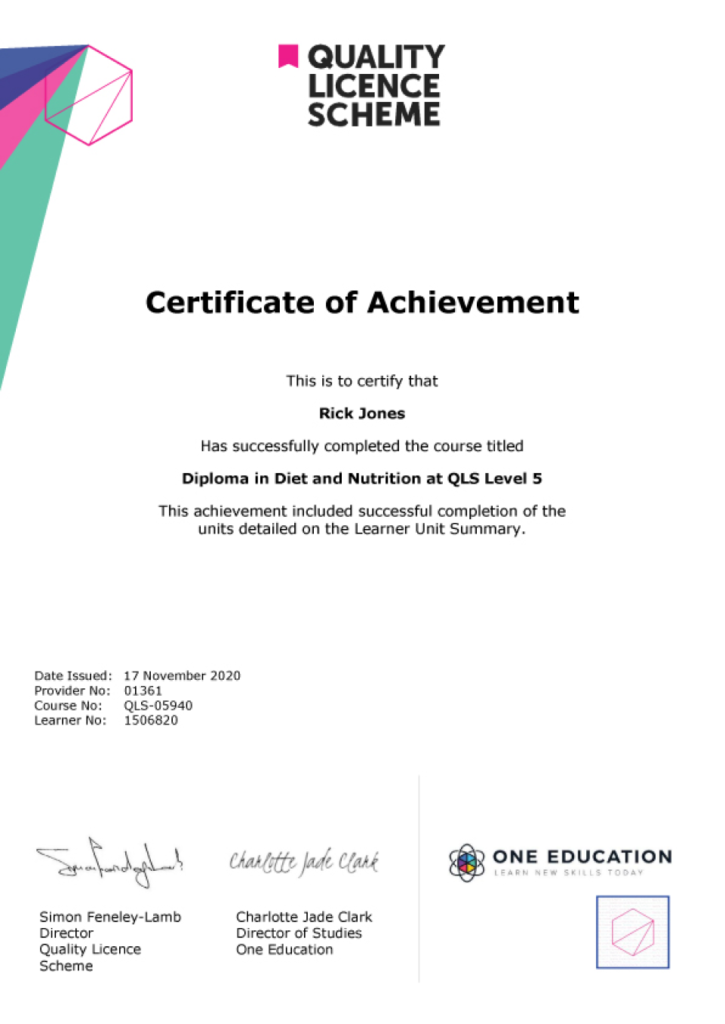
EXAMPLE - QLS Certificate 2020 1

Quality Licence Scheme Endorsed Certificate

Learners also have the option to order a Quality Licence Scheme (QLS) Endorsed Certificate as additional proof of achievement. The QLS Endorsed Certificate can be delivered by post for £79, with an additional £10 postage charge for international students.

Endorsement

This course has been endorsed by the Quality Licence Scheme for its high-quality, non-regulated provision and training programmes. This course is not regulated by Ofqual and is not an accredited qualification. Your training provider will be able to advise you on any further recognition, for example progression routes into further and/or higher education. For further information please visit the Learner FAQs on the Quality Licence Scheme website.

Why Study This After Effects for Graphic Design Course?

Adobe After Effects expands traditional graphic design into dynamic motion graphics, animation, and visual effects. Studying this course helps learners explore animation, compositing, creative effects, typography, and motion design techniques for producing engaging and visually impactful digital content.

This course enables designers to add movement and visual storytelling to their creative work. Learners can develop practical After Effects skills, enhance static designs with animation, and create compelling graphics for branding, advertising, social media, presentations, and digital campaigns.

Course Duration

The After Effects for Graphic Design course has a total study timeframe of 6 days, 5 hours. Learners can work through the programme at a pace that suits their schedule, developing practical skills in motion graphics, animation, visual effects, compositing, graphic design, creative effects, digital design, and professional After Effects workflows.

Requirements

The After Effects for Graphic Design course has no formal entry requirements, making it suitable for beginners and aspiring graphic designers. An interest in motion graphics, animation, visual effects, and digital design is beneficial. Basic computer skills, good English, and reliable internet access are recommended for effective online learning.

Career Path

Frequently Asked Questions

1. What is the After Effects for Graphic Design course?
The After Effects for Graphic Design course teaches how Adobe After Effects can be used to create animated graphics, visual effects, and engaging motion-based designs. It covers Adobe After Effects, Graphic Design, Motion Graphics, Visual Effects, Animation Design, Motion Design, Digital Design, Compositing, Creative Effects, and After Effects Skills.

2. Who is the After Effects for Graphic Design course suitable for?
The course is suitable for graphic designers, aspiring motion designers, digital artists, animators, video creators, marketing professionals, students, and creative learners who want to expand their Graphic Design skills into animation and Motion Graphics.

3. What will I learn from the After Effects for Graphic Design course?
You will explore Adobe After Effects and learn how to create Special Effects, Patterns and Textures, and Generative Graphics. The course develops practical knowledge of Motion Graphics, Animation Design, Compositing, Creative Effects, and Digital Design.

4. Do I need previous Adobe After Effects experience?
No. The course begins with an introduction to Adobe After Effects and progressively introduces techniques for creating animated graphics and effects. Basic computer and Graphic Design knowledge can be helpful but is not essential.

5. What is Adobe After Effects used for?
Adobe After Effects is widely used for Motion Graphics, Animation Design, Visual Effects, Compositing, animated titles, transitions, creative effects, and other digital video and design projects.

6. What are motion graphics?
Motion Graphics combine graphic design elements with movement and animation. Text, shapes, illustrations, patterns, and other visual elements can be animated to communicate information or create engaging visual experiences.

Course Curriculum

Section 01: Introduction
Using After Effects for Design Projects 00:02:00
About the Exercise Files 00:01:00
A Brief Intro to After Effects 00:02:00
Getting Comfortable with the After Effects Interface 00:06:00
Importing Photoshop Files 00:05:00
Exporting Photoshop, JPG, and PNG Files 00:05:00
Section 02: Creating Special Effects
Creating an Editorial Graphic 00:09:00
Add a Dramatic Lighting Effect 00:07:00
Adding a Page Curl 00:07:00
Creating a Burst of Light 00:08:00
Color Keying for Transparent Imagery 00:07:00
Color Keying for Advanced Transparency – Part 1 00:06:00
Color Keying for Advanced Transparency – Part 2 00:05:00
Section 03: Creating Patterns and Textures
Creating a Kaleidoscope Pattern 00:05:00
Generating a Unique Texture 00:06:00
Create Line Art from a Photo 00:04:00
Shapes with Radio Waves 00:07:00
Interlocking Zig Zag Pattern 00:08:00
Section 04: Generating Artwork from (Almost) Nothing
Enhancing an Illustration with Lightning 00:07:00
Enhancing an Illustration with Rain 00:06:00
Creating a Water Surface Part 1 00:05:00
Creating a Water Surface Part 2 00:07:00
Creating a Water Surface Part 3 00:04:00
Making Realistic Melted Chocolate Part 1 00:06:00
Making Realistic Melted Chocolate Part 2 00:05:00
Creating Bubbles for Champagne Part 1 00:07:00
Creating Bubbles for Champagne Part 2 00:09:00
Section 05: Where to Go from Here
Where to Go from Here 00:01:00
Assignment
Assignment – After Effects for Graphic Design 6 days, 3 hours
Order Your Certificate
Order Your Certificate QLS 00:00:00
After Effects for Graphic Design
top