Diploma in Web Design – Video Training

Diploma in Web Design – Video Training helps learners build modern websites using practical video lessons. Gain skills in HTML, CSS, layouts, and user experience to create responsive, professional web designs.
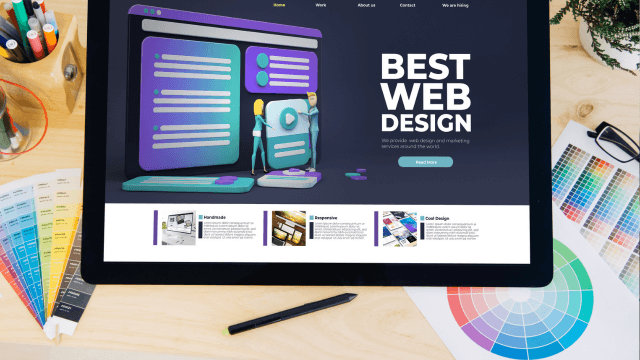
Diploma in Web Design – Video Training
cpdacree aoth ukrlp 24hs fullonline 14days

Get access to 5000+ courses including this for only £49. Learn More.

Overview of Diploma in Web Design – Video Training

Build practical web design skills with the Diploma in Web Design – Video Training, covering essential HTML, CSS, Bootstrap, and responsive design techniques. Learn the foundations of web development, front-end development, UI design, and website development while creating professional, user-friendly websites through practical projects.

Develop hands-on expertise by designing a landing page, business website, and personal portfolio. This web design course introduces modern approaches to responsive design, UI design, and UX design, helping you understand how structure, styling, usability, and visual presentation work together to create effective websites across different devices and screen sizes.

Complete your learning by exploring website hosting and discovering how to get your website on the internet. Whether you are developing your HTML and CSS skills or building a foundation in JavaScript, web development, and front-end development, this video training provides practical knowledge for creating and publishing functional, engaging, and professional websites.

The course was audited and updated on: 18th August, 2026

Learning Outcomes of Diploma in Web Design – Video Training

Certification

one education Certificate

After completing the Diploma in Web Design – Video Training course assessment, you will be eligible to receive a CPD-accredited certificate worth £9 from One Education to demonstrate your achievement.

The certificate is also available as a printed hard copy delivered by post for £15.

Why Study This Diploma in Web Design – Video Training Course?

Web design combines creativity, technical knowledge, and user-focused thinking to create engaging and functional websites. This diploma course helps learners develop practical skills in HTML5, CSS3, Bootstrap, JavaScript, responsive design, UI design, UX principles, and front-end website development through structured video training.

Studying web design through practical projects can build confidence in creating professional websites from the ground up. Learners can develop responsive layouts, design landing pages and business websites, strengthen front-end development skills, and build a foundation for careers in web design, UI/UX, and digital development.

Course Duration

The Diploma in Web Design – Video Training course has a total study time of 8 hours, 7 minutes. Learners can progress through the programme at a flexible pace, developing practical skills in web design, web development, HTML5, CSS3, Bootstrap, JavaScript, responsive design, UI and UX design, front-end development, website development, and creating professional websites.

Requirements

The Diploma in Web Design – Video Training has no formal entry requirements, making it suitable for beginners and aspiring web designers. An interest in web design, HTML, CSS, JavaScript, responsive design, and front-end development is beneficial. Basic computer skills, good English, and reliable internet access are recommended for effective online learning.

Career Path

Frequently Asked Questions

1. What is the Diploma in Web Design – Video Training course?
The Diploma in Web Design – Video Training course provides practical training in designing and developing modern websites. It covers Web Design, Web Development, HTML, CSS, JavaScript, Responsive Design, UI Design, UX Design, Website Development, and Front-End Development.

2. Who is the Diploma in Web Design course suitable for?
The course is suitable for beginners, aspiring web designers, students, freelancers, digital professionals, entrepreneurs, and anyone interested in developing practical Web Design and Front-End Development skills for creating modern websites.

3. What will I learn from the Diploma in Web Design course?
You will begin with Welcome before progressing through HTML 5, CSS 3, and Bootstrap. The course also includes practical projects such as Design a Landing Page, Business Website, and other website development exercises to help reinforce your skills.

4. Do I need previous web design experience?
No. The course introduces the fundamental technologies used in Web Design and Front-End Development, making it suitable for beginners. Previous experience with HTML, CSS, JavaScript, or Website Development is not essential.

5. What is web design?
Web Design is the process of planning and creating the visual structure, layout, appearance, and user experience of websites. It can involve typography, colours, images, navigation, responsive layouts, UI Design, and UX Design.

6. What is web development?
Web Development involves building and maintaining websites using programming and web technologies. Front-end development focuses on the parts of a website that users see and interact with, while other development areas can handle server-side functionality.

Course Curriculum

Welcome
1.1 Intro 00:03:00
1.2 Install the Tools and Get Started 00:05:00
HTML 5
2.1 Intro to HTML 00:01:00
2.2 What is HTML 00:11:00
2.3 Start a New HTML File & Use Tags 00:12:00
2.4 Header Tags 00:05:00
2.5 Edit Text 00:09:00
2.6 Links 00:09:00
2.7 Images 00:10:00
2.8 Lists 00:04:00
2.9 Challenge 1 00:16:00
2.10 HTML Outro 00:01:00
CSS 3
3.1 CSS Intro 00:04:00
3.2 Add CSS Styles 00:16:00
3.3 Classes and IDs 00:07:00
3.4 Borders 00:06:00
3.5 Sizing 00:04:00
3.6 Padding and Margin 00:07:00
3.7 Text Styles 00:04:00
3.8 DIVs 00:08:00
3.9 Postioning 00:08:00
3.10 Hover 00:03:00
3.11 Easily Center Elements 00:03:00
3.12 Fonts 00:06:00
3.13 Challenge 00:23:00
3.14 CSS Outro 00:01:00
Bootstrap
4.1 Intro to Bootstrap 00:02:00
4.2 Install Bootstrap 00:10:00
4.3 Indenting and Containers 00:07:00
4.4 The Grid System 00:16:00
4.5 Images 00:07:00
4.6 Buttons 00:06:00
4.7 Challenge 3 00:11:00
4.8 Bootstrap Outro 00:01:00
Project 1 - Design a Landing Page
5.1 Landing Page Intro 00:01:00
5.2 Sketch Your Landing Page 00:05:00
5.3 The Top Section 00:16:00
5.4 Polish the Top Section 00:06:00
5.5 Adding Images 00:11:00
5.6 The Main Points Section 00:14:00
5.7 Collecting Emails With an Opt-In Form 00:11:00
5.8 Challenge 4 00:03:00
5.9 Landing Page Outro 00:02:00
Project 2 - Business Website
6.1 Business Site Intro 00:01:00
6.2 Sketch Up 00:03:00
6.3 Using Fancy Font Logo 00:07:00
6.4 Carousel Basics 00:10:00
6.5 Carousel Extras 00:09:00
6.6 Text on Images 00:15:00
6.7 Phone Number Icon 00:04:00
6.8 Google Maps 00:13:00
6.9 Font Awesome 00:09:00
6.10 Challenge 4 00:08:00
6.11 Business Site Outro 00:01:00
Project 3 - Portfolio
7.1 Intro 00:01:00
7.2 Portfolio Sketch 00:08:00
7.3 Jumbotron 00:10:00
7.4 Nav Bar 00:24:00
7.5 Panels 00:11:00
7.6 Challenge 5 00:13:00
7.7 Portfolio Outre 00:01:00
Hosting - Getting Your Website on the Internet
8.1 Hosting 00:01:00
8.2 Bluehost 00:06:00
8.3 Uploading 00:05:00
8.4 Tips 00:11:00
8.5 Hosting Outro 00:01:00
Assignment
Assignment – Diploma in Web Design – Video Training 00:00:00
Recommended Materials
Workbook – Diploma in Web Design – Video Training 00:00:00
Diploma in Web Design – Video Training
top