Essential IT Skills

Essential IT Skills course builds confident digital literacy, covering productivity software, online safety, troubleshooting, data management, and effective communication, helping learners work efficiently, adapt to technology change, and meet expectations.


Essential IT Skills (IT Support)
qls cpdacree ukrlp 24hs fullonline 14days

Get access to 5000+ courses including this for only £49. Learn More.

Overview of Essential IT Skills

The Essential IT Skills course builds strong foundations in IT fundamentals, helping learners develop essential computer skills and digital literacy for modern workplaces. This course covers software applications, office productivity tools, internet skills, and workplace technology concepts to improve confidence in using digital tools effectively. Learners will gain practical knowledge to adapt to evolving technology environments.

Designed for beginners and professionals, this course introduces communication networks, cybersecurity basics, data management, and technical skills required in today’s digital world. Through structured modules, learners explore information technology concepts, future technology trends, and foundation skills that support personal growth, career development, and improved workplace efficiency.

The Essential IT Skills curriculum includes word processing, presentation software, spreadsheet creation, database storage, and IT project management. Participants will develop hands-on experience with essential applications while improving their ability to manage information, communicate digitally, and solve technology-related challenges. This course prepares learners for successful engagement with modern digital systems and professional environments.

The course was audited and updated on: 7th June, 2026

Extra Gift Included: +

  • Free CPD Certificate
  • Unlimited Free Retake Exams

Free Courses Inlcuded - Limited Time Offer!

Learning Support Assistant Training
Safeguarding and Child Protection

Learning Outcomes of Essential IT Skills

Method Of Assessment​

Learners complete an assignment and can take a mock exam to practice and improve their understanding before the final multiple-choice exam. Tutors provide personalised feedback on the assignment. The final exam is automatically marked, and learners must achieve at least 60% to receive a CPD-certified certificate.

Certification

one education Certificate

After completing the Essential IT Skills course assessment, you will be eligible to receive a CPD-accredited certificate worth £9 from One Education to demonstrate your achievement.

The certificate is also available as a printed hard copy delivered by post for £15.

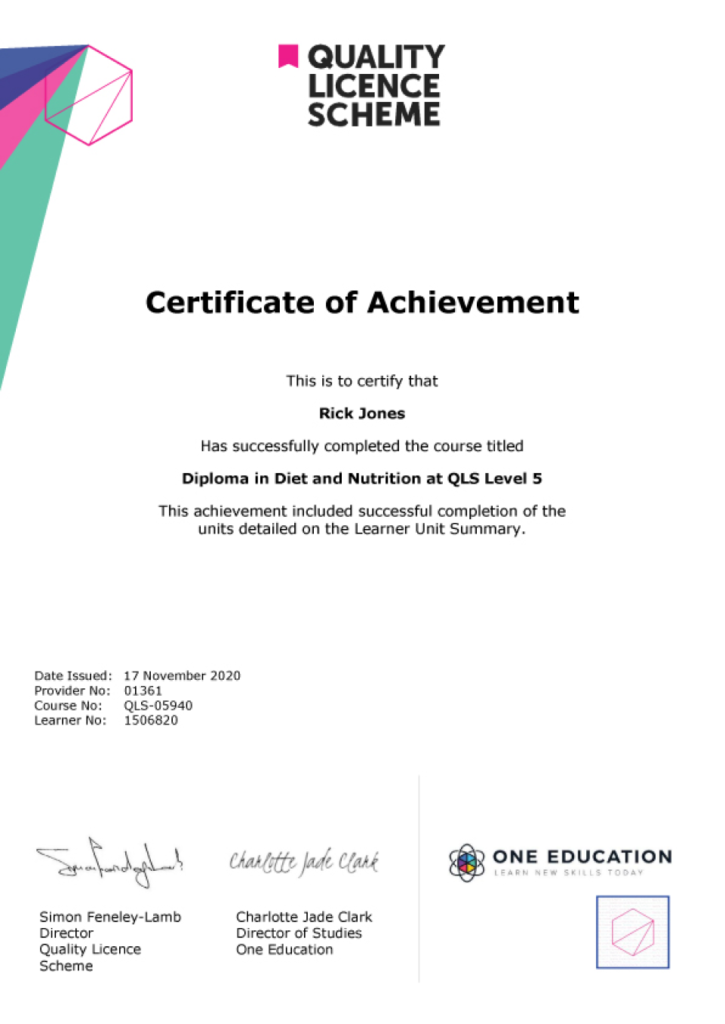
EXAMPLE - QLS Certificate 2020 1

Quality Licence Scheme Endorsed Certificate

Learners also have the option to order a Quality Licence Scheme (QLS) Endorsed Certificate as additional proof of achievement. The QLS Endorsed Certificate can be delivered by post for £109, with an additional £10 postage charge for international students.

Endorsement

This course has been endorsed by the Quality Licence Scheme for its high-quality, non-regulated provision and training programmes. This course is not regulated by Ofqual and is not an accredited qualification. Your training provider will be able to advise you on any further recognition, for example progression routes into further and/or higher education. For further information please visit the Learner FAQs on the Quality Licence Scheme website.

Why Study This Essential IT Skills Course?

Essential IT Skills helps learners develop the digital knowledge required to work confidently with modern technology. This course introduces key computer skills, online tools, and practical applications that support productivity, communication, and efficiency in today’s digital workplace.

Studying Essential IT Skills improves confidence in using computers and essential software while building valuable technical abilities. The course supports career growth, enhances workplace performance, and provides learners with the foundation needed to adapt to evolving digital environments.

Course Duration

The Essential IT Skills course has a total study time of 2 weeks, 3 days. This comprehensive programme is designed for flexible learning, allowing learners to progress at their own pace while developing essential computer skills, including digital literacy, software usage, online tools, data management, and practical IT knowledge for academic and workplace environments.

Requirements

The Essential IT Skills course requirements are simple and beginner friendly. Learners should have basic computer familiarity, an interest in technology, and a willingness to develop practical digital skills. Access to a computer or internet-enabled device is recommended for practicing essential applications, improving confidence, and achieving effective learning outcomes.

Career Path

Frequently Asked Questions

This course teaches fundamental computer and digital skills, including using operating systems, managing files, internet usage, email communication, basic software applications, and online safety.

No. It is suitable for beginners who want to develop essential computer and IT skills.

The course is delivered online, allowing you to learn at your own pace.

Yes. Practical computer tasks, digital skills exercises, and quizzes may be included to reinforce learning.

You will receive a certificate of completion after successfully finishing the course.

This course supports career development in administration, office support, customer service, data entry, business operations, and other roles requiring basic IT proficiency.

Course Curriculum

Essential IT Skills
Module 01: Introduction: A Transforming Technology 00:30:00
Module 02: Importance of Information Technology 00:10:00
Module 03: Communication and Network 00:30:00
Module 04: Future Skills Required in Information Technology 00:15:00
Module 05: Technology as a Foundation Skill Area 00:10:00
Module 06: Word Processing Software 00:30:00
Module 07: Presentation Software 00:30:00
Module 08: Creating and Editing Spreadsheet (Part 1: The Basics of Spreadsheets) 00:15:00
Module 09: Creating and Editing Spreadsheet (Part 2: Navigation and Edit) 00:25:00
Module 10: Storing Database 00:25:00
Module 11: Information Technology Project Management 00:20:00
Mock Exam
Mock Exam – Essential IT Skills 00:20:00
Final Exam
Final Exam – Essential IT Skills 00:20:00
Assignment
Assignment – Essential IT Skills 2 weeks, 3 days
Essential IT Skills
top