Flat Design Icons in Illustrator

  • Instructor Unique
  • Original
  • Video Training

Flat Design Icons in Illustrator teaches you how to create clean, modern vector icons using simple shapes, bold colours, and precise alignment tools for professional digital and print design projects.


Flat Design Icons in Illustrator
qls cpdacree ukrlp 24hs fullonline 14days

Get access to 5000+ courses including this for only £49. Learn More.

Overview of Flat Design Icons in Illustrator

Learn the essentials of Flat Design and Icon Design with Adobe Illustrator in this practical course. Explore Vector Graphics, minimalist design principles, and Vector Illustration techniques while creating clean, modern icons for digital and graphic design projects.

Develop your Graphic Design skills by creating a wide range of flat design icons, including laboratory, beer, barbecue, wine glass, sun, dumbbell, sushi, suitcase, girl, bird, smartphone, backpack, stopwatch, controller, and headphone icons. Build confidence in professional Digital Illustration workflows.

Take your Creative Design skills further by designing app icons inspired by iOS, Android Lollipop, and Windows Phone. You will practise UI Icon Design, shape construction, colour, composition, and scalable vector techniques, creating polished minimalist icons suitable for apps, interfaces, branding, and digital projects.

The course was audited and updated on: 4th August, 2026

Learning Outcomes of Flat Design Icons in Illustrator

Method Of Assessment​

Learners complete an assignment designed to evaluate their understanding of the course content. The assignment is reviewed by qualified tutors who provide personalised feedback, allowing learners to demonstrate their applied knowledge and skills.

Certification

one education Certificate

After completing the Flat Design Icons in Illustrator course assessment, you will be eligible to receive a CPD-accredited certificate worth £9 from One Education to demonstrate your achievement.

The certificate is also available as a printed hard copy delivered by post for £15.

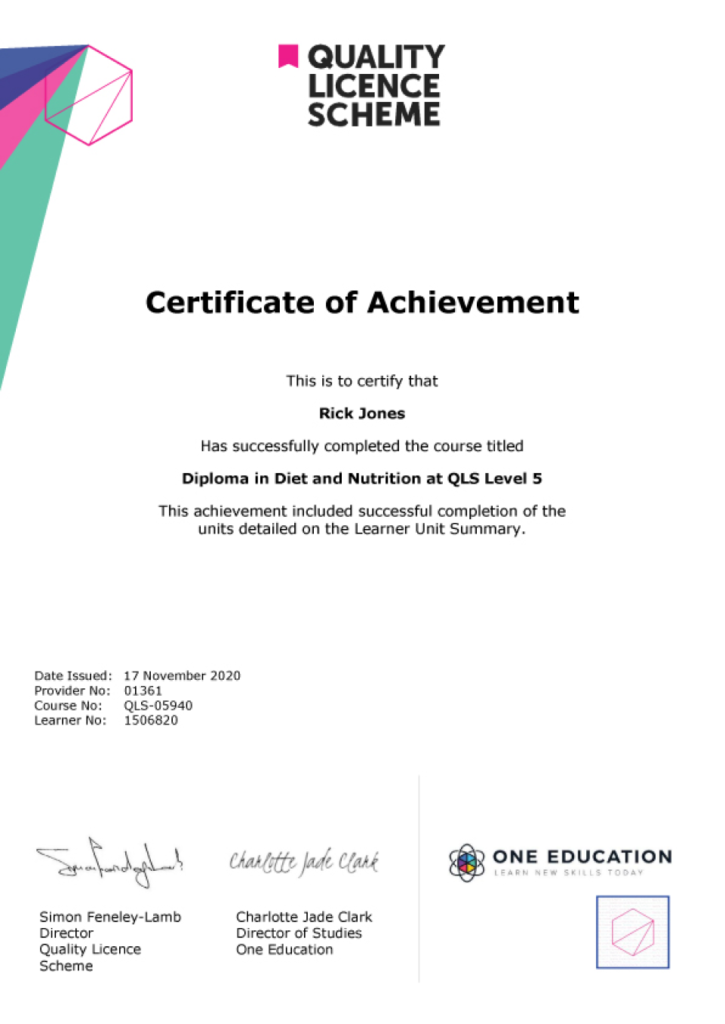
EXAMPLE - QLS Certificate 2020 1

Quality Licence Scheme Endorsed Certificate

Learners also have the option to order a Quality Licence Scheme (QLS) Endorsed Certificate as additional proof of achievement. The QLS Endorsed Certificate can be delivered by post for £89, with an additional £10 postage charge for international students.

Endorsement

This course has been endorsed by the Quality Licence Scheme for its high-quality, non-regulated provision and training programmes. This course is not regulated by Ofqual and is not an accredited qualification. Your training provider will be able to advise you on any further recognition, for example progression routes into further and/or higher education. For further information please visit the Learner FAQs on the Quality Licence Scheme website.

Why Study This Flat Design Icons in Illustrator Course?

Flat design icons combine simple shapes, clean lines, balanced colours, and clear visual communication. This course helps learners explore Adobe Illustrator, vector graphics, icon design, geometric shapes, minimalist principles, and composition techniques for creating professional and versatile flat-style icons.

Studying flat design icon creation can strengthen both vector illustration and graphic design skills. Learners can develop consistent icon sets, refine their Illustrator workflow, and create scalable visual assets suitable for websites, mobile applications, UI design, branding, presentations, digital products, and creative portfolios.

Course Duration

The Flat Design Icons in Illustrator course has a total study timeframe of 2 weeks, 1 day. Learners can work through the programme at a flexible pace, developing practical skills in flat design, icon design, Adobe Illustrator, vector graphics, graphic design, UI icon design, vector illustration, digital illustration, minimalist design, and creative visual design.

Requirements

The Flat Design Icons in Illustrator course has no formal entry requirements, making it suitable for beginners and aspiring graphic or UI designers. An interest in flat design, icon design, vector graphics, Adobe Illustrator, and digital illustration is beneficial. Basic computer skills, good English, and reliable internet access are recommended for effective online learning.

Career Path

Frequently Asked Questions

1. What is the Flat Design Icons in Illustrator course?
The Flat Design Icons in Illustrator course teaches learners how to create clean, modern, and scalable icons using Adobe Illustrator. It covers Flat Design, Icon Design, Adobe Illustrator, Vector Graphics, Graphic Design, UI Icon Design, Vector Illustration, Digital Illustration, Minimalist Design, and Creative Design.

2. Who is the Flat Design Icons in Illustrator course suitable for?
The course is suitable for beginners, graphic designers, UI designers, digital artists, illustrators, app designers, creative professionals, and anyone interested in developing practical skills in Flat Design, Icon Design, Vector Illustration, and Adobe Illustrator.

3. What will I learn from the Flat Design Icons in Illustrator course?
You will begin with an introduction to Flat Design principles before progressing through practical icon projects. The curriculum includes creating a Flat Design Lab Flask Icon, Home Icon, Camera Icon, and Calendar Icon, helping you develop practical Vector Graphics and Icon Design skills.

4. Do I need previous Adobe Illustrator experience?
No. The course begins with an introduction to Flat Design principles and progresses through practical icon creation projects. It is suitable for learners who want to develop their Adobe Illustrator and Vector Illustration skills.

5. What is flat design?
Flat Design is a visual design style that uses simple shapes, clean layouts, limited visual effects, and clear colours. It is commonly used for interfaces, websites, applications, icons, branding, and other modern Graphic Design projects.

6. What is icon design?
Icon Design involves creating simplified visual symbols that communicate an object, function, action, or idea. Effective icons use shape, colour, proportion, spacing, and visual consistency to remain clear and recognisable.

Course Curriculum

Module 01: Introduction And The Flat Design Principles
Introduction And The Principles Of Flat Design 00:04:00
Module 02: Create A Flat Design Lab Flask Icon
Let’s Create A Flat Lab Flask Icon 00:13:00
Module 03: Create A Flat Design Beer Icon
Let’s Create A Flat Beer Icon 00:13:00
Module 04: Create A Flat Design Barbecue Icon
Let’s Create A Flat Barbecue Icon 00:16:00
Module 05: Let's Create Wine Glasses Flat Design Icon
Let’s Create The Wine Glasses Icon 00:10:00
Let’s Finish The Icon And Add The Background 00:05:00
Module 06: Create A-Sun Flat Design Icon
Let’s Create The Sun Flat Design Icon 00:14:00
Module 07: Let's Create the Dumbbell Flat Design Icon
Let’s create a dumbbell flat design icon 00:16:00
Module 08: Let's Create The Sushi Flat Design Icon
Let’s Create a Sushi Flat Design Icon 00:06:00
Let’s Finish The Sushi Flat Design Icon 00:06:00
Module 09: Let's Create A Suitcase Flat Design Icon
Let’s Create A Suitcase Flat Design Icon 00:08:00
Let’s Finish The Icon 00:04:00
Module 10: Let's Create A Girl Flat Design Icon
Let’s Start Creating The Character 00:05:00
Add The Torso And The Background 00:07:00
Module 11: Let's Create A Bird Flat Icon
Let’s Start Creating The Icon 00:04:00
Let’s Finish Creating The Bird Flat Icon 00:05:00
Module 12: Let's Create The Smartphone Icon
Let’s Start Creating The Main Shape 00:04:00
Let’s Finish The Icon 00:02:00
Module 13: Design An Ios Inspired Calendar App Icon
Let’s Start Creating The Icon 00:04:00
Let’s Finish The Icon 00:02:00
Module 14: Design An Android Lollipop Inspired Camera App Icon
Let’s Start The Design Process 00:05:00
Let’s Finish The Project 00:05:00
Module 15: Design A Windows Phone Inspired Podcast App Icon
Let’s Start The Main Shape 00:05:00
Let’s Add The Effects And Background 00:04:00
Module 16: How To Create A Flat Design Back Pack
Let’s Start Designing The Flat Design Back Pack 00:08:00
Let’s Finish The Back Pack 00:06:00
Module 17: Create A Flat Design Stopwatch
Let’s Start The Icon 00:05:00
Let’s Finish The Process 00:05:00
Module 18: How To Design A Flat Design Xbox Controller
Let’s Start The Design 00:04:00
How To Create The Xbox Template 00:03:00
How To Create The Base Shape Of The Controller 00:07:00
How To Create The Smaller Part Of The Base 00:05:00
How To Create The Button 00:06:00
How To Create The Button Texture 00:06:00
How To Create The Second Button 00:04:00
How To Create The Middle Buttons 00:05:00
How To Create The Color Buttons 00:06:00
How To Create The Middle Buttons 00:06:00
How To Create The Xbox Logo 00:06:00
How To Create The Shading 00:05:00
Summary 00:02:00
Module 19: How To Create Flat Design Headphones
Introduction To The Project 00:01:00
Let’s Add The Background First 00:03:00
Let’s Create The Main Piece 00:07:00
Let’s Add The Padding 00:03:00
Let’s Attach The Man Piece With The Earpiece 00:02:00
Let’s Add The Earpiece 00:04:00
Let’s Add The Cable 00:02:00
Finish The Project 00:02:00
Assignment
Assignment -Flat Design Icons in Illustrator 2 weeks, 1 day
Order Your Certificate
Order Your Certificate QLS 00:00:00
Flat Design Icons in Illustrator
top