Flat Design Techniques in Adobe Illustrator

  • Instructor Unique
  • Original
  • Video Training

Flat Design Techniques in Adobe Illustrator focuses on creating clean, modern visuals using simple shapes, bold colours, precise alignment, and effective typography to produce scalable graphics for digital illustrations, branding, and web design projects.


Flat Design Techniques in Adobe Illustrator
qls cpdacree ukrlp 24hs fullonline 14days

Get access to 5000+ courses including this for only £49. Learn More.

Overview of Flat Design Techniques in Adobe Illustrator

Learn the essentials of Flat Design with Adobe Illustrator through practical projects designed to develop your Graphic Design skills. Explore clean layouts, simple shapes, colour combinations, and professional Vector Design techniques while creating polished digital artwork using industry-relevant Illustrator tools and workflows.

Develop your Vector Illustration abilities by working on engaging flat design projects, including a desert island scene and a hipster businessman. Discover effective Icon Design, Digital Illustration, and Minimalist Design methods while learning how to create visually appealing compositions with precision, consistency, and creative flexibility in Adobe Illustrator.

Build confidence with advanced Illustrator Techniques as you complete a flat design office space project and apply key principles of Colour Theory. This course helps you understand shape construction, visual balance, colour selection, and streamlined illustration workflows, providing practical experience for creating professional flat design artwork and vector graphics.

The course was audited and updated on: 7th August, 2026

Learning Outcomes of Flat Design Techniques in Adobe Illustrator

Method Of Assessment​

Learners complete an assignment designed to evaluate their understanding of the course content. The assignment is reviewed by qualified tutors who provide personalised feedback, allowing learners to demonstrate their applied knowledge and skills.

Certification

one education Certificate

After completing the Flat Design Techniques in Adobe Illustrator course assessment, you will be eligible to receive a CPD-accredited certificate worth £9 from One Education to demonstrate your achievement.

The certificate is also available as a printed hard copy delivered by post for £15.

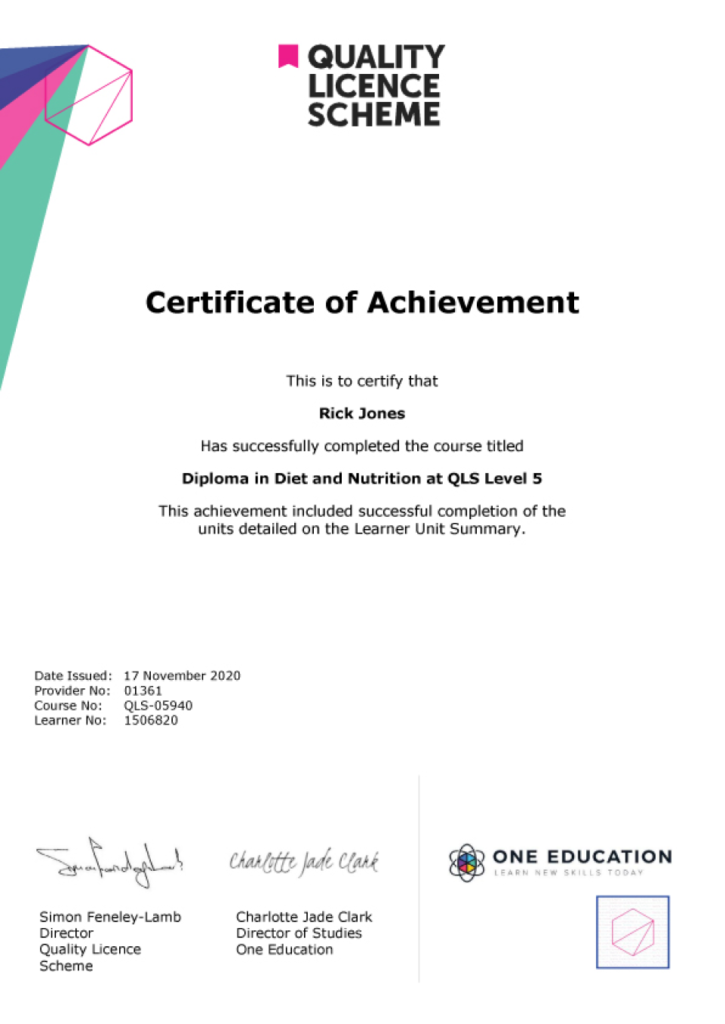
EXAMPLE - QLS Certificate 2020 1

Quality Licence Scheme Endorsed Certificate

Learners also have the option to order a Quality Licence Scheme (QLS) Endorsed Certificate as additional proof of achievement. The QLS Endorsed Certificate can be delivered by post for £89, with an additional £10 postage charge for international students.

Endorsement

This course has been endorsed by the Quality Licence Scheme for its high-quality, non-regulated provision and training programmes. This course is not regulated by Ofqual and is not an accredited qualification. Your training provider will be able to advise you on any further recognition, for example progression routes into further and/or higher education. For further information please visit the Learner FAQs on the Quality Licence Scheme website.

Why Study This Flat Design Techniques in Adobe Illustrator Course?

Flat design focuses on clean shapes, balanced colours, simple compositions, and effective visual communication. This course helps learners explore Adobe Illustrator, vector design, icon creation, minimalist illustration, colour theory, and professional flat design techniques for creating polished and contemporary digital artwork.

Studying flat design in Illustrator can strengthen both creative and technical graphic design skills. Learners can develop scalable illustrations, icons, and visual assets while improving their understanding of composition, colour, and vector workflows for branding, digital media, marketing materials, user interfaces, and creative portfolios.

Course Duration

The Flat Design Techniques in Adobe Illustrator course has a total study timeframe of 2 weeks, 1 day. Learners can work through the programme at a flexible pace, developing practical skills in flat design, Adobe Illustrator, vector design, graphic design, vector illustration, icon design, digital illustration, minimalist design, colour theory, and professional Illustrator techniques.

Requirements

The Flat Design Techniques in Adobe Illustrator course has no formal entry requirements, making it suitable for beginners and aspiring graphic designers. An interest in flat design, vector illustration, icon design, minimalist graphics, and Adobe Illustrator is beneficial. Basic computer skills, good English, and reliable internet access are recommended for effective online learning.

Career Path

Frequently Asked Questions

1. What is the Flat Design Techniques in Adobe Illustrator course?
The Flat Design Techniques in Adobe Illustrator course teaches learners how to create modern, clean, and visually appealing flat design artwork using Adobe Illustrator. It covers Flat Design, Adobe Illustrator, Vector Design, Graphic Design, Vector Illustration, Icon Design, Digital Illustration, Minimalist Design, Colour Theory, and Illustrator Techniques.

2. Who is the Flat Design Techniques in Adobe Illustrator course suitable for?
The course is suitable for beginners, graphic designers, illustrators, digital artists, UI designers, branding professionals, freelancers, and creative learners who want to develop practical skills in Flat Design, Vector Design, Icon Design, and Adobe Illustrator.

3. What will I learn from the Flat Design Techniques in Adobe Illustrator course?
You will begin with Introduction before working through practical flat design projects, including the Flat Design Desert Island Project and Flat Design Hipster Businessman Project. These projects help you apply Illustrator Techniques, Vector Illustration, Colour Theory, and Creative Design principles.

4. Do I need previous Adobe Illustrator experience?
The course introduces the fundamentals of Flat Design and provides practical projects for applying Illustrator Techniques. Some familiarity with Adobe Illustrator can be helpful, but the course is suitable for learners who want to strengthen their Vector Design and Graphic Design skills.

5. What is flat design?
Flat Design is a visual style that uses simplified shapes, clean layouts, solid or restrained colours, and minimal visual effects. It is widely used in Graphic Design, branding, interfaces, illustrations, icons, and digital media.

6. What is Adobe Illustrator used for flat design?
Adobe Illustrator is a vector-based design application that provides tools for creating precise shapes, illustrations, icons, typography, and other scalable artwork. These capabilities make it well suited to developing Flat Design projects.

Course Curriculum

Module 01: Introduction
Promo Video 00:02:00
Introduction 00:01:00
What’s in The Course 00:06:00
Create the Workspace 00:03:00
Module 02: Start the Flat Design Desert Island Project
Desert Island Promo Video 00:02:00
Learning in This Course 00:03:00
Set Up the Workspace First 00:03:00
Create the Leaves 00:07:00
Create the Stem 00:04:00
Finish the Palm Tree 00:05:00
Add the Second Palm Tree 00:05:00
Create the Sun 00:09:00
Add the Clouds 00:04:00
Create the Sky 00:05:00
Create the Island 00:04:00
Create the Waves With the Pen Tool 00:04:00
In Conclusion 00:02:00
Module 03: Flat Design Hipster Businessman Project
Learning in This Course 00:04:00
Set Up the Workspace First 00:03:00
Create the Head and The Eyes 00:05:00
Create the Eyebrows 00:05:00
Create the Ears 00:06:00
Learn the Pencil Tool 00:05:00
Create the Rest of The Hairdo 00:06:00
Create the Mouth 00:05:00
Add the Beard 00:04:00
Add the Lips 00:04:00
Create the Nose 00:04:00
Create the Sunglasses 00:05:00
What Are Opacity Masks 00:07:00
Finish the Sunglasses 00:06:00
Start Creating the Torso 00:05:00
Create the Neck 00:06:00
Create the Collar 00:04:00
Create the Tie 00:04:00
Create the Vest 00:03:00
Create the Suit 00:03:00
Create the Sweater 00:04:00
In Conclusion 00:04:00
Hipster Businessman Promo Video 00:02:00
Module 04: Start the Flat Design Office Space Project
Creating in This Course 00:04:00
Set Up the Workspace 00:03:00
Start the Design 00:08:00
Create the Window 00:06:00
Create the Clouds 00:05:00
Start Creating the Picture 00:06:00
Finish Creating the Picture 00:07:00
Start Creating the Clock 00:04:00
Finish Creating the Clock 00:06:00
Create the Folders 00:05:00
Add the Colours to The Folders 00:03:00
Start Creating the Flower 00:08:00
Add the Stem and The Petals 00:07:00
Create the Flower Pot 00:06:00
Start Creating the Lamp 00:04:00
Add the Stand 00:05:00
Create the First Speaker 00:04:00
Finish Creating the Speakers 00:04:00
Start Creating the Computer 00:06:00
Create the Stand and The Content 00:06:00
Start Creating the Mug 00:04:00
Create the Steam 00:04:00
Create the Router 00:04:00
In Conclusion 00:03:00
Assignment
Assignment -Flat Design Techniques in Adobe Illustrator 2 weeks, 1 day
Order Your Certificate
Order Your Certificate QLS 00:00:00
Flat Design Techniques in Adobe Illustrator
top