LabVIEW Step By Step: Beginners Complete Guide

  • Bestseller
  • Great Service
  • Highly Rated
  • Trending

LabVIEW Step-by-Step: Beginner’s Complete Guide introduces the fundamentals of graphical programming using LabVIEW. This course covers interface design, data flow concepts, basic programming structures, and practical applications, helping learners understand how LabVIEW is used for measurement, automation, and control systems.
LabVIEW Step By Step: Beginners Complete Guide

Get access to 5000+ courses including this for only £49. Learn More.

Overview of LabVIEW Step By Step: Beginners Complete Guide

This LabVIEW step-by-step guide introduces LabVIEW basics through clear LabVIEW tutorial lessons, helping LabVIEW for beginners understand graphical programming concepts, NI LabVIEW workflow, and core virtual instruments VI design principles.

Learn how the front panel and block diagram work together while exploring data acquisition DAQ basics, running the program confidently, and applying knowledge through guided practical work exercises for beginners.

Advance your skills with loops and charts, sub VIs, and arrays, building reusable virtual instruments while strengthening problem-solving logic, efficiency, and confidence in real LabVIEW programming tasks for beginners today.

Learning Outcomes of LabVIEW Step By Step: Beginners Complete Guide

Method Of Assessment​

Learners complete an assignment designed to evaluate their understanding of the course content. The assignment is reviewed by qualified tutors who provide personalised feedback, allowing learners to demonstrate their applied knowledge and skills.

Certification

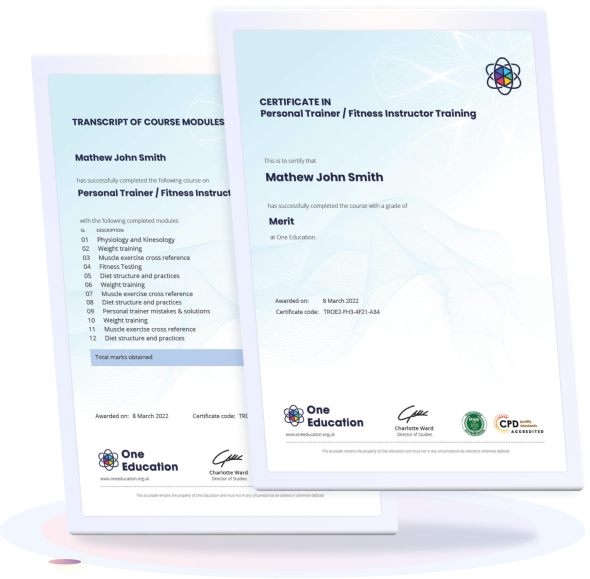
one education Certificate

After completing the LabVIEW Step By Step: Beginners Complete Guide assessments, learners qualify for a CPD QS accredited certificate from One Education.

The certificate is available in two formats: a PDF version for £9 or a printed hard copy delivered by post for £15.

Why Study This LabVIEW Step By Step: Beginners Complete Guide?

Demand for LabVIEW skills continues to rise across engineering, automation, research, and data-driven industries where graphical programming and efficient system control are essential. Understanding how to build virtual instruments, manage data acquisition, and design clear front panels enables learners to contribute to modern technical environments with confidence and accuracy.

Studying LabVIEW Step By Step: Beginners Complete Guide strengthens foundational programming knowledge, improves problem-solving ability, and supports progression into technical and analytical roles. CPD recognition also highlights professional development and demonstrates commitment to advancing digital engineering and instrumentation expertise.

Course Duration

The LabVIEW Step By Step: Beginners Complete Guide offers a focused learning experience with a total study time of 1 hour and 6 minutes. Designed for flexible online study, the course allows learners to progress through each section at their own pace, making it easy to fit learning around personal or professional commitments. This concise duration ensures efficient knowledge development while covering the essential foundations of LabVIEW programming.

Requirements

The LabVIEW Step By Step: Beginners Complete Guide has minimal and accessible entry requirements, making it suitable for anyone interested in graphical programming and virtual instrumentation. A basic familiarity with computers, logical thinking, and an eagerness to explore data acquisition and block diagram development will be helpful for successful learning. As the course is delivered entirely online, learners can access the materials from any internet-enabled device and progress at a pace that fits their personal schedule.

Career Path

Frequently Asked Questions

LabVIEW is a graphical programming environment developed for data acquisition, instrument control, and automation. Engineers and researchers widely use it to build virtual instruments and analyse real-time data efficiently.

Yes, the course is designed for learners with no prior programming knowledge. It explains LabVIEW basics step by step, including the front panel, block diagram, loops, arrays, and sub-VIs.

You will learn graphical programming concepts, data acquisition techniques, program execution methods, and structured design using virtual instruments. The course also introduces charts, loops, and modular programming approaches.

Basic computer knowledge is enough to begin. Installing NI LabVIEW software will help you follow demonstrations and practise building simple applications during learning.

Completion time depends on your pace and study schedule. Most learners finish the beginner-level material within a few days to a couple of weeks of consistent study.

Course Curriculum

Section 1: Introduction
Unit 1: LabVIEW Step by Step Introduction 00:01:00
Unit 2: Instructor’s Introduction 00:03:00
Unit 3: What is LabVIEW 00:02:00
Unit 4: Compare LabVIEW with Traditional Tools 00:02:00
Unit 5: LabVIEW Fundamentals Flow of Data 00:03:00
Unit 6: LabVIEW Environment 00:02:00
Unit 7: LabVIEW Environment – Continue 00:03:00
Section 2: Things to Know before Starting Programming
Unit 1: Common Data Types 00:02:00
Unit 2: LabVIEW Key Features 00:02:00
Section 3: Running the Program
Unit 1: Run LabVIEW 00:05:00
Unit 2: Express VIs and Functions 00:02:00
Unit 3: Tools Palette and Status Toolbar 00:03:00
Section 4: Practical Work
Unit 1: First Example Creating VI 00:08:00
Unit 2: Help Options 00:02:00
Unit 3: Exercise 1- Converting C to F 00:03:00
Unit 4: Debugging Techniques 00:03:00
Section 5: Sub VIs
Unit 1: Sub VI 00:08:00
Section 6: Loop and Charts
Unit 1: For Loop and While Loop 00:04:00
Unit 2: Charts 00:04:00
Section 7: Getting Started with Arrays
Unit 1: Arrays 00:04:00
Assignment
Assignment – LabVIEW Step By Step: Beginners Complete Guide 00:00:00
top
Home Courses Search