
Photoshop Course - The Voyage of the Dom
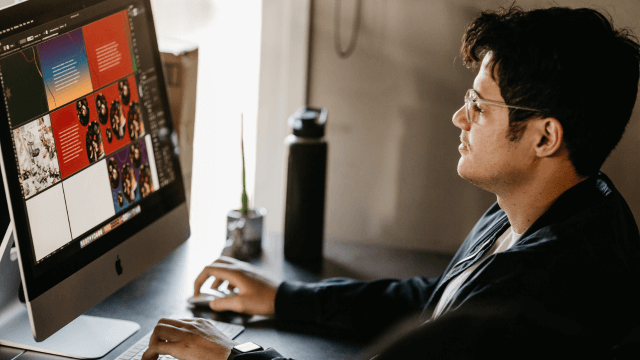
Photoshop Course - The Voyage of the Dom
cpdacree aoth ukrlp 24hs fullonline 14days

Get access to 5000+ courses including this for only £49. Learn More.

Overview of Photoshop Course - The Voyage of the Dom

Master Adobe Photoshop through this practical Photoshop Course - The Voyage of the Dom, designed to develop professional skills in Photo Manipulation, Digital Compositing, Image Editing, and creative scene development. Learn essential Photoshop Techniques while building an imaginative fantasy environment from sketch to finished artwork.

Explore advanced Creative Retouching, Digital Artwork, Concept Art, and Visual Effects as you create mountains, forests, rivers, temples, castles, waterfalls, and floating rocks. The course also covers character creation, including a cyberpunk ninja, clothing, skin, hair, accessories, and a detailed ninja sword.

Bring your completed scene to life by integrating the character into the fantasy landscape and exploring animation workflows with Cartoon Animator 5. Through guided practical lessons, this Photoshop Course helps you strengthen your Adobe Photoshop skills and develop compelling Digital Compositing, Photo Manipulation, and visual storytelling techniques.

The course was audited and updated on: 4th August, 2026

Learning Outcomes of Photoshop Course - The Voyage of the Dom

Certification

one education Certificate

After completing the Photoshop Course - The Voyage of the Dom course assessment, you will be eligible to receive a CPD-accredited certificate worth £9 from One Education to demonstrate your achievement.

The certificate is also available as a printed hard copy delivered by post for £15.

Why Study This Photoshop Course - The Voyage of the Dom Course?

Adobe Photoshop provides powerful tools for transforming creative ideas into detailed digital artwork. This course explores Photo Manipulation, Digital Compositing, Creative Retouching, and Image Editing while introducing practical Photoshop Techniques for combining imagery, refining visual details, and creating imaginative compositions.

Studying The Voyage of the Dom can strengthen creative and technical Photoshop skills. Learners can develop Digital Artwork and Concept Art, experiment with Visual Effects, improve their compositing workflow, and create polished visual projects suitable for creative portfolios, digital media, advertising, storytelling, and professional image editing.

Course Duration

The Photoshop Course - The Voyage of the Dom course has a total study time of 4 hours, 20 minutes. Learners can progress through the programme at a flexible pace, developing practical skills in Adobe Photoshop, photo manipulation, digital compositing, creative retouching, digital artwork, concept art, image editing, visual effects, Photoshop techniques, and creative image creation.

Requirements

The Photoshop Course - The Voyage of the Dom has no formal entry requirements, making it suitable for beginners and aspiring digital artists or graphic designers. An interest in Adobe Photoshop, photo manipulation, digital compositing, creative retouching, digital artwork, concept art, image editing, and visual effects is beneficial. Basic computer skills, good English, and reliable internet access are recommended for effective online learning.

Career Path

Frequently Asked Questions

1. What is the Photoshop Course – The Voyage of the Dom?
The Photoshop Course – The Voyage of the Dom teaches learners how to create a creative digital artwork using Adobe Photoshop. It focuses on Photo Manipulation, Digital Compositing, Creative Retouching, Digital Artwork, Concept Art, Image Editing, Visual Effects, and practical Photoshop Techniques.

2. Who is the Photoshop Course – The Voyage of the Dom suitable for?
The course is suitable for aspiring graphic designers, digital artists, photographers, illustrators, photo editors, creative professionals, and learners who want to improve their Adobe Photoshop skills through a practical Photo Manipulation and Digital Compositing project.

3. What will I learn from this Photoshop course?
You will begin with Intro Lesson: The Voyage of the Dome and progress through a practical creative project. The course helps you explore Adobe Photoshop, Image Editing, Photo Manipulation, Digital Compositing, Creative Retouching, Concept Art, and Visual Effects.

4. Do I need previous Adobe Photoshop experience?
Some familiarity with Adobe Photoshop can be helpful, but the course is centred around a focused practical project. It provides an opportunity for learners to apply Photoshop Techniques while developing a creative digital composition.

5. What is Adobe Photoshop?
Adobe Photoshop is professional image-editing and digital-art software used for photo editing, retouching, compositing, graphic design, visual effects, and creative artwork. It provides tools for manipulating images and combining multiple visual elements.

6. What is photo manipulation?
Photo Manipulation involves altering, combining, or transforming photographic elements to create a new visual result. It can be used to develop imaginative scenes, conceptual artwork, surreal compositions, and creative digital imagery.

Course Curriculum

Photoshop Course - The Voyage of the Dom
Intro Lesson The Voyage of the Dome 4 00:03:00
1 Intro lesson Setting up a Canvas 00:09:00
2 Lesson 2 Setting up a Comp and Sketch 00:05:00
3 Lesson 3 Painting the sky 00:09:00
4 Lesson 4 Painting the Left Mountain 00:11:00
5 Painting the Right Mountain 00:07:00
6 lesson 6 Painting a Forest and a Hangman Tree 00:09:00
7 Foreground Rock, Roadtrack and River 00:16:00
8 Lesson 8 Sketching a Temple 00:05:00
9 Lesson 9 Painting the Temple 00:16:00
10 Lesson 10 Placing the Temple at the River 00:10:00
11 lesson 11 Painting the Right Rock Wall 00:10:00
12 Lesson 12 Painting the River 00:05:00
13 Lesson 13 Creating a Mini World 00:06:00
14 Lesson 14 Creating a Floating Rock 00:05:00
15 Lesson 15 Decorating the Rock 00:07:00
16 Lesson 16 Creating a Waterfall 00:05:00
17 Lesson 17 Creating a Fantasy World 00:07:00
18 Lesson 18 Painting the Background Mountains 00:08:00
19 Lesson 19 Creating a Castle 00:07:00
20 Lesson 20 Finding a Ninja Cyberpunk Girl 00:08:00
21 Lesson 21 ninja line and basic Colors 00:05:00
22 Lesson 22 Skin Eyes Hair 00:10:00
23 Lesson 23 Leather Jack Practice 00:10:00
24 lesson 24 Painting Mask and leather 00:08:00
25 Lesson 25 Decorating the Socks with texture 00:03:00
26 Lesson 26 Craating a Ninja Sword part 1 00:04:00
27 Lesson 27 Creating a Ninja Sword Part 2 00:10:00
28 Lesson 28 Finishing the Sword 00:04:00
29 Lesson 29 Finishing the hands 00:07:00
30 Lesson 30 Finishing the Ninja 00:09:00
31 Lesson 31 Placing the Ninja in the Landscape 00:03:00
32 Lesson 32 Using Cartoon Animator 5 00:10:00
33 Lesson 33 Animating the scene 00:09:00
Photoshop Course – The Voyage of the Dom
top
