
 Take All courses for £49

Flat Design in Adobe Illustrator
- Instructor Unique
- Original
- Video Training
Flat Design in Adobe Illustrator explores clean shapes, bold colours, and minimalist layouts to create modern vector graphics. Learn to craft icons, illustrations, and digital assets using simple tools and smart design principles.




Flat Design in Adobe Illustrator
Or
 1 Year Access
  Level 7
  48 Students
 -
 3 weeks, 4 days
Course Curriculum
| Module 01: Introduction | |||
| Introduction to the Course | 00:01:00 | ||
| Module 02: Create a Flat Design Garden and Barbecue | |||
| Introduction to the Project | 00:01:00 | ||
| How to Set up the Document | 00:13:00 | ||
| One Smart Way of Adding Gradients | 00:06:00 | ||
| Start with the Background | 00:07:00 | ||
| Create the Sky and the Clouds | 00:06:00 | ||
| Adding the Lawn and the Bushes | 00:12:00 | ||
| Need Some Shade in the Garden | 00:08:00 | ||
| Rounding Selected Corners in Older Illustrators | 00:04:00 | ||
| Who Wants Lemonade | 00:10:00 | ||
| Add the Chairs | 00:05:00 | ||
| Creating the First BBQ | 00:10:00 | ||
| Finish the Project | 00:04:00 | ||
| Module 03: Create a Flat Design Landscape Scene | |||
| Explore the Project | 00:01:00 | ||
| Start with the Background | 00:07:00 | ||
| Add the Sun | 00:08:00 | ||
| Second Way of Creating the Sun | 00:05:00 | ||
| Scream it from the Mountain Top | 00:07:00 | ||
| Planting the Trees | 00:04:00 | ||
| Creating the Forest | 00:04:00 | ||
| Add the Hut | 00:08:00 | ||
| Add the Side Blocks | 00:05:00 | ||
| Add the Roof | 00:06:00 | ||
| Add the Windows | 00:04:00 | ||
| Finish the Project | 00:04:00 | ||
| Module 04: Create a modern Flat Design Night Camping Scene | |||
| Introduction to the project | 00:02:00 | ||
| Creating a New Document | 00:03:00 | ||
| Adding Panels and Colours | 00:07:00 | ||
| Create the sky | 00:05:00 | ||
| Add the stars | 00:07:00 | ||
| Add the moon | 00:08:00 | ||
| Create the mountains | 00:11:00 | ||
| Plant Some trees | 00:07:00 | ||
| Add the entrance | 00:06:00 | ||
| Create the tent | 00:04:00 | ||
| Finish the Tent | 00:06:00 | ||
| Add the backpack | 00:05:00 | ||
| Add the Straps and the Handle | 00:03:00 | ||
| Create the stove | 00:07:00 | ||
| Build Some Fire | 00:06:00 | ||
| Create the Wheels of the Camper | 00:04:00 | ||
| Add the Mudguard | 00:02:00 | ||
| Add the Bumpers | 00:03:00 | ||
| Add the Paint Job | 00:04:00 | ||
| Add the Door Knobs | 00:03:00 | ||
| Add the Windows | 00:07:00 | ||
| Add the Reflections and Finish the Project | 00:09:00 | ||
| Module 05: Create a Modern Flat Design Terminal and Luggage | |||
| Discover the Project | 00:01:00 | ||
| Start with the Background | 00:10:00 | ||
| Add the Chairs | 00:06:00 | ||
| Add the sign and the Arrows | 00:07:00 | ||
| Add the Escalator | 00:06:00 | ||
| Start Creating the Luggage | 00:03:00 | ||
| Add the Handle | 00:03:00 | ||
| Add the Straps | 00:03:00 | ||
| Add the Wheels and the Shading | 00:05:00 | ||
| Adding the Bokeh Effect and Finishing the Project | 00:03:00 | ||
| Module 06: Design a Flat Design Smartphone and App Icons | |||
| Introduction to the class | 00:01:00 | ||
| Create a new document | 00:02:00 | ||
| Create the smartphone shape | 00:04:00 | ||
| Add the gradient wallpaper | 00:04:00 | ||
| Create the buttons | 00:04:00 | ||
| Add the system buttons | 00:05:00 | ||
| Add the hour and notification icons | 00:04:00 | ||
| Create the signal strength icon | 00:03:00 | ||
| Create the wifi icon | 00:07:00 | ||
| Add the battery icon | 00:03:00 | ||
| Create the app drawer | 00:09:00 | ||
| Create a new document | 00:01:00 | ||
| Create the main telephone shape | 00:06:00 | ||
| Add the gradient background | 00:03:00 | ||
| Create the main compass shape | 00:04:00 | ||
| Add the pointers and start adding colour | 00:04:00 | ||
| Add the gradient background | 00:03:00 | ||
| Create the messages icon | 00:06:00 | ||
| Add the background | 00:03:00 | ||
| How to create an iOS inspired music app icon | 00:07:00 | ||
| Coming up with colour schemes for the projects | 00:06:00 | ||
| Create the main shape of the retro TV | 00:03:00 | ||
| Add the screen | 00:03:00 | ||
| Create the reflections | 00:02:00 | ||
| Add the legs and the antenna | 00:04:00 | ||
| Add the buttons | 00:04:00 | ||
| Finish the retro TV app icon | 00:02:00 | ||
| Create the second TV app icon | 00:08:00 | ||
| Create the contacts app icon | 00:05:00 | ||
| Create the body and the lens | 00:03:00 | ||
| Add the reflections and finish the icon | 00:05:00 | ||
| Create the envelope | 00:05:00 | ||
| Add the letter | 00:03:00 | ||
| Finish the icon | 00:01:00 | ||
| Create the main wallet shape | 00:07:00 | ||
| Round the corners in older version of illustrator | 00:03:00 | ||
| Add the stitching | 00:03:00 | ||
| Create the bottom edge | 00:03:00 | ||
| Add the button | 00:02:00 | ||
| Put the money in the wallet | 00:04:00 | ||
| Finish the icon | 00:01:00 | ||
| Create the main book shape | 00:06:00 | ||
| Add the text and a bookmark | 00:04:00 | ||
| Create the hand and the background | 00:09:00 | ||
| Create the cloud | 00:05:00 | ||
| Create the sun and finish the icon | 00:07:00 | ||
| Create the bun icon | 00:03:00 | ||
| Add the lettuce, cheese and ketchup | 00:04:00 | ||
| Add sesame, background and finish | 00:03:00 | ||
| Create the main app background | 00:05:00 | ||
| Add the navigation pointer | 00:04:00 | ||
| Create the base of the microphone | 00:06:00 | ||
| Add the diaphragm and finish the icon | 00:06:00 | ||
| Introduction to the project | 00:01:00 | ||
| Add the background first | 00:03:00 | ||
| Create the main piece | 00:07:00 | ||
| Add the padding | 00:03:00 | ||
| Attach the earpiece | 00:02:00 | ||
| Add the earpiece | 00:04:00 | ||
| Add the cable | 00:02:00 | ||
| Finish the icon | 00:02:00 | ||
| Create the main cog shapes | 00:04:00 | ||
| Join the cogs and finish the icon | 00:05:00 | ||
| Create the world map | 00:06:00 | ||
| Add the magnifying glass and finish the icon | 00:07:00 | ||
| Create the main clock shape | 00:04:00 | ||
| Add the markers | 00:02:00 | ||
| Add the pointers | 00:03:00 | ||
| Create the bells and finish the icon | 00:06:00 | ||
| Create the main notes shape | 00:03:00 | ||
| Add the bend and the background | 00:03:00 | ||
| Create another version of the icon | 00:03:00 | ||
| How to create a calculator app icon | 00:05:00 | ||
| How to create a file manager app | 00:06:00 | ||
| Create the main flashlight shape | 00:04:00 | ||
| Add the rotating mechanism | 00:05:00 | ||
| Summary | 00:01:00 | ||
| Assignment | |||
| Assignment -Flat Design in Adobe Illustrator | 3 weeks, 3 days | ||
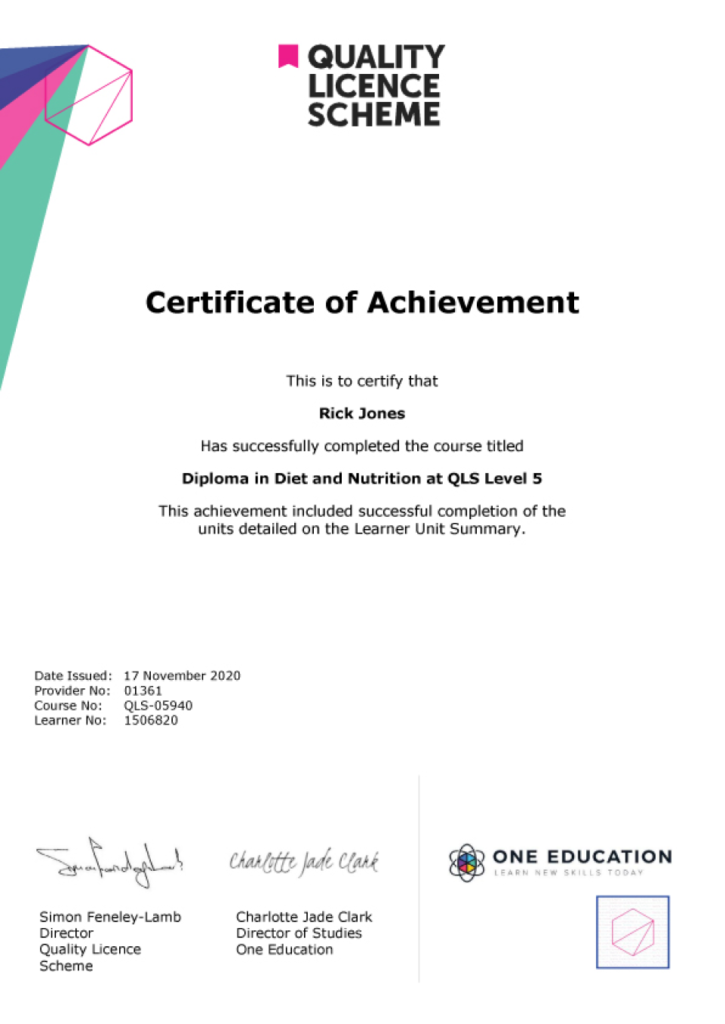
| Order Your Certificate | |||
| Order Your Certificate QLS | 00:00:00 | ||
Related Courses
Diploma in Graphic Design

1433 Students

(PRIVATE) Adobe Photoshop, Illustrator and InDesign Training Masterclass
685 Students
PRIVATE View More
Flat Design in Adobe Illustrator